BitLocker Silent Encryption via Intune + Key Escrow to Entra ID · CloudEngineerHub
Intune9 min read5 views
BitLocker Silent Encryption via Intune + Key Escrow to Entra ID
Enable BitLocker with zero user prompts, escrow recovery keys to the Entra ID device record, and verify everything with manage-bde and Graph — the production-safe pattern.
A
Anuradha Kumari
Published: August 27, 2026· Last Updated: September 24, 2026·9 min read
BitLocker Silent Encryption via Intune + Key Escrow to Entra ID
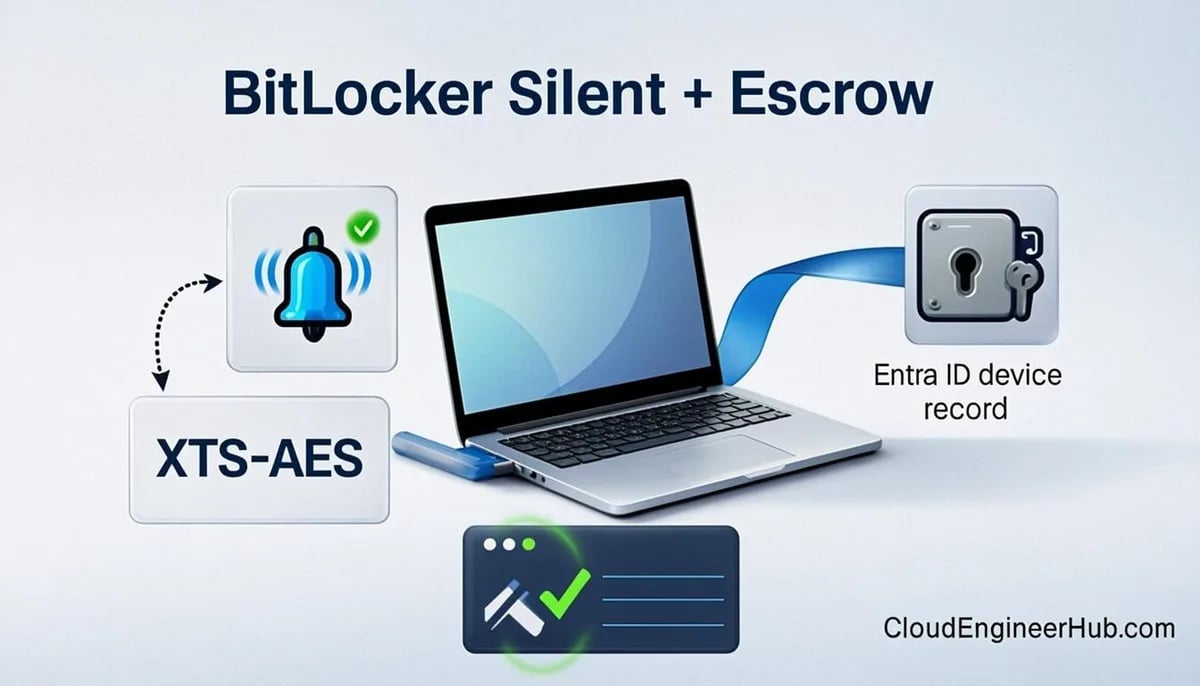
Enabling BitLocker is easy. Enabling it silently — no prompt to the user, no rogue end user clicking "skip", keys safely escrowed before the first reboot — is the production standard. Intune can do all of it through the Disk encryption policy surface, and the verification steps take five minutes.
Visual Walkthrough
Silent encryption only works when recovery keys land where you can find them.
Silent enable with TPM + X protectors; no user prompt.
protect
2
TPM seals the key
Platform + PCR values bind the key to device state.
recovery
3
Recovery key generated
48-digit numeric key created at enablement.
escrow
4
Key escrowed to Entra
Backup succeeds before compliance is reported — the critical step.
recover
5
Recovery available
Admin/self-service retrieve key with RBAC + audit.
6
Compliance reported
Encryption status flows into compliance + CA decisions.
BitLocker Silent Encryption + Key Escrow. 1. Policy triggers encryption: Silent enable with TPM + X protectors; no user prompt. — 2. TPM seals the key: Platform + PCR values bind the key to device state. — 3. Recovery key generated: 48-digit numeric key created at enablement. — 4. Key escrowed to Entra: Backup succeeds before compliance is reported — the critical step. — 5. Recovery available: Admin/self-service retrieve key with RBAC + audit. — 6. Compliance reported: Encryption status flows into compliance + CA decisions.
A
Anuradha Kumari
Author
Endpoint management specialist focused on Microsoft Intune, Windows Autopilot and modern EUC. Writes practical deployment, compliance and troubleshooting guides for IT teams.
Windows 11 Pro/Enterprise (Windows 10 1903+ supported) with TPM present and ready — check Get-Tpm before any policy work.
Devices Entra-joined (hybrid join works too) and enrolled in Intune; escrow targets the Entra device record, so identity plumbing must be healthy.
The Intune Endpoint security role or equivalent for policy creation; read access to the encryption report for validation.
Firmware hygiene completed before enrollment: UEFI mode, current BIOS, no stale third-party encryption products.
A pilot group across your main hardware models — silent behavior can differ on hardware without Modern Standby.
How Key Escrow Works
Escrow is not an export job — it happens at key creation. When the BitLocker CSP enables encryption, the recovery password is uploaded to the Entra ID device record as part of the enablement flow, provided the escrow setting was in place before the protector was created. That timing detail is the most common escrow failure: devices encrypted under a policy without escrow keep their keys on-device only, and enabling escrow later does not retroactively upload them without re-protectoring the volume.
On the read side, identities separate cleanly: users self-serve their own device keys at aka.ms/myrecoverykey, while administrators read keys from the device record in the Intune or Entra consoles, or programmatically through the BitLocker recovery key Graph API with the BitlockerKey.ReadBasic.All scope. Reading another user's key is a privileged operation — scope and audit it like one.
The Policy That Drives Silent Encryption
Create the policy in intune.microsoft.com → Endpoint security → Disk encryption → Create policy, platform Windows 10/11, profile BitLocker. The settings that matter:
Encrypt devices = Require — turns BitLocker on for system and fixed drives.
Silently enable BitLocker on devices = Yes — encryption starts without any user interaction.
Standard user encryption = Allow — lets non-admin accounts trigger encryption during Autopilot/OOBE, which is what makes first-boot flows seamless.
Configure recovery password escrow = Yes — the recovery password is escrowed to the Entra ID device record, not to a file share or AD DS.
Two supporting settings complete the silent experience: Warning for other disk encryption hides the scary prompt when third-party encryption software is present, and the same profile covers fixed data drives — require encryption there too, or you will end up with encrypted OS volumes sitting next to plaintext D: drives.
Configuration Deep Dive: Silent Fallbacks and Edge Cases
Fully silent enablement relies on the device being capable of unattended encryption: TPM present, Modern Standby-capable hardware behaving as expected, and no competing disk tooling. On hardware without Modern Standby, silent enablement can fall back to a visible flow — the user sees the BitLocker prompt and must click through — which is why the pilot matrix must include your oldest model, not just your newest. Before blaming policy, validate the TPM itself: Get-Tpm should report TpmPresent and TpmReady as True, and a device failing manage-bde -status with a TPM error needs firmware work, not another Intune policy.
Also watch the interplay with compliance: pair this profile with a compliance policy that requires device encryption, so Conditional Access enforces what the encryption policy enables — and a device that reports encrypted but holds no escrowed key is still at risk, because a recovery event on a lost machine ends in data loss.
Step-by-Step: Verify Encryption and Escrow
On the device, the manage-bde toolkit is ground truth:
PowerShell
1
2
3
4
5
6
7
8
# Encryption state of the OS drive
manage-bde -status C:
# Expected: Conversion Status Fully Encrypted; Protection Status On# Does a recovery password protector exist (and is it escrowed)?
manage-bde -protectors -get C: |
Where-Object { $_.Type -eq'RecoveryPassword' }
# Expected: at least one RecoveryPassword protector listed
Then confirm escrow from the service side:
PowerShell
1
2
3
4
5
6
Connect-MgGraph -Scopes"BitlockerKey.ReadBasic.All"# List escrowed BitLocker recovery keys with their owning device IDs
Get-MgInformationProtectionBitlockerRecoveryKey -All |
Select-Object DeviceId, KeyId, CreatedDateTime
# Expected: one row per escrowed key; missing device = escrow gap
Users recover their own keys at aka.ms/myrecoverykey; admins read them from Entra ID → Devices → device → Show recovery key. At fleet scale, Intune's Encryption report (Devices → Monitor → Encryption report) surfaces both encryption state and escrowed-key status per device, making the gap visible fleet-wide instead of one support call at a time.
Real-World Enterprise Scenario
A consultancy with 2,200 laptops treated escrow as a checkbox until a field consultant's laptop — motherboard replaced under warranty — demanded a recovery key nobody could find: the device had encrypted under an early policy without escrow, and the key existed only on the (now swapped) machine. The remediation was structural: the encryption report became a weekly control with "encrypted but unescrowed" counted as an incident, devices missing escrow were re-keyed with a rotate-protector script, and the compliance policy gained an escrow-aware check so unescrowed devices fell out of compliance. The next hardware swap took ninety seconds of self-service at aka.ms/myrecoverykey instead of a data-loss postmortem.
If manage-bde -protectors -get shows a recovery password but the Entra device record is empty, the escrow never happened — check that the escrow setting was enabled before encryption ran, since keys are escrowed to Entra ID at creation time, not retroactively. Re-protectoring (deleting and recreating the recovery password protector) forces a fresh key that escrows correctly.
Troubleshooting Matrix
Symptom
Cause
Fix
User sees a BitLocker prompt anyway
Silent enable not set, or hardware fallback to visible flow
Verify profile settings; pilot the oldest hardware model
Encryption stuck at 0%
TPM not ready, or third-party encryption present
Fix TPM/firmware; remove competing tooling
Key missing from Entra record
Escrow disabled before encryption ran
Re-create the recovery protector to re-escrow
D: drive still plaintext
Profile covered OS drive only
Require encryption on fixed drives in the same policy
Prompt mentioning other encryption software
Third-party agent detected
Remove the product; the warning setting only hides the prompt
Compliance flags encrypted device
Encrypted but unescrowed, or protector missing
Treat as incident; re-key and verify escrow
Common Errors
"Encryption enabled, no recovery key in Entra" — the classic escrow gap: policy arrived after encryption. Re-key the protector.
Silent flow degrades to prompt — non-Modern-Standby hardware or a blocked prerequisite; test on real models before assuming tenant-wide silence.
manage-bde shows Waiting for Activation — protection was suspended or the protector never applied; re-apply policy and confirm with a sync.
Graph key list empty but portal shows keys — scope mismatch; BitlockerKey.ReadBasic.All must be consented for the connected identity.
Visual Walkthrough
Grace periods decoded: when "non-compliant" actually cuts access.
Decision TreeCompliance → Conditional Access — The Handshake5/5
Decision gate
Device evaluates compliance
Compliance is a signal; Conditional Access is the consequence.
Compliant
1
All settings pass
Encryption, AV health, OS version, jailbreak checks green.
2
Device marked compliant
State published to Entra for CA to consume.
3
CA grants access
Mail/files open — the compliant experience is frictionless.
Non-compliant
1
Grace period runs
Actions: mark non-compliant after N days — a designed buffer.
Compliance → Conditional Access — The Handshake. Gate: Device evaluates compliance — Compliant: All settings pass — Compliant: Device marked compliant — Compliant: CA grants access — Non-compliant: Grace period runs — Non-compliant: User notified — Non-compliant: CA blocks after grace — Non-compliant: Remediation restores
Best Practices
Enable escrow in the first profile that touches encryption — ordering is everything.
Verify with manage-bde locally and the BitLocker key Graph API at scale; never trust "policy applied" alone.
Add fixed data drives to the same profile and check them in the encryption report.
Review the encryption report weekly; "encrypted but unescrowed" is a live risk, not a cosmetic gap.
Pair encryption policy with compliance policy so Conditional Access enforces the state.
Teach helpdesk the self-service path first (aka.ms/myrecoverykey) before escalating to admin key reads.
Security Considerations
Recovery keys are credentials: restrict BitlockerKey.ReadBasic.All to admins who need it, and audit reads in Entra sign-in logs.
Escrow to Entra ID only — file shares and AD DS escrow reintroduce the risks (sprawl, retention, access control) you paid Intune to eliminate.
Keep the warning-for-other-encryption setting off by default in your head: it hides a prompt, it does not remove a conflict — third-party encryption still blocks the BitLocker flow.
Unescrowed encrypted devices should fail compliance; an unkeyable encrypted disk is planned data loss.
Combine with tamper-resistant controls (TPM-only protectors, Secure Boot) so silent does not mean weaker.
FAQ
Does escrow work for hybrid-joined devices?
Yes — keys escrow to the Entra device record for both Entra-joined and hybrid-joined managed devices.
Can I retroactively upload an existing recovery password?
Not directly; delete and re-create the recovery password protector so a fresh key is generated and escrowed at creation.
Where do users find their own keys?
At aka.ms/myrecoverykey after signing in with their Entra account — for devices they have used.
Does silent encryption survive an OS reinstall?
The new OS starts unencrypted; policy re-applies on enrollment, and escrow runs again with the fresh key.
What scope do I need to read keys via Graph?BitlockerKey.ReadBasic.All — and treat who holds it as privileged access.
Conclusion
Silent BitLocker is a three-way contract: policy enables without prompting, escrow happens at key creation, and verification proves both happened. Watch the encryption report for the encrypted-but-unescrowed gap, re-key the devices that fell through, and let compliance plus Conditional Access turn encryption from a best effort into an access requirement.
BitLocker and recovery scenarios appear in nearly every MD-102 mock: practice them on /mock, decrypt failure logs faster with the free tools on /tools, and study smarter with the bundles on /store.



Comments
0No comments yet — be the first to share your thoughts.