Windows Update for Business + Intune Update Rings: A Ring Strategy That Works · CloudEngineerHub
Intune11 min read9 views
Windows Update for Business + Intune Update Rings: A Ring Strategy That Works
Design update rings that actually converge: deferral ladders, deadlines and grace periods, feature update policies, expedited updates, and the reports that prove compliance.
C
CloudEngineerHub Team
Published: September 8, 2026· Last Updated: September 24, 2026·11 min read
Windows Update for Business + Intune Update Rings: A Ring Strategy That Works
Update rings are how you roll out Windows quality and feature updates with controlled blast radius. The mechanics are simple — different groups receive different deferrals and deadlines — but a strategy that survives contact with a real fleet needs deliberate numbers, governed exclusions, and reports you actually read.
Visual Walkthrough
How canary-to-broad staging catches regressions before Monday morning.
Lifecycle LoopUpdate Rings — The Deployment Conveyor6/6
1
Ring 0 · Canary
IT-owned hardware, no deferrals, monitors serve as early warning.
ring 1
2
Ring 1 · Fast pilot
Volunteers + random sample; 3–5 day quality soak.
ring 2
3
Ring 2 · Broad pilot
Departments and power users; 5–10 day soak with trend review.
ring 3
4
Ring 3 · Production
Fleet rollout with deadlines; expedited path for zero-days.
control
5
Pause / rollback gate
Failure in any ring pauses downstream — rings protect the fleet.
6
Continuous cycle
Monthly quality wave repeats — the ring strategy never sleeps.
Continuous cycle
Update Rings — The Deployment Conveyor. 1. Ring 0 · Canary: IT-owned hardware, no deferrals, monitors serve as early warning. — 2. Ring 1 · Fast pilot: Volunteers + random sample; 3–5 day quality soak. — 3. Ring 2 · Broad pilot: Departments and power users; 5–10 day soak with trend review. — 4. Ring 3 · Production: Fleet rollout with deadlines; expedited path for zero-days. — 5. Pause / rollback gate: Failure in any ring pauses downstream — rings protect the fleet. — 6. Continuous cycle: Monthly quality wave repeats — the ring strategy never sleeps.
C
CloudEngineerHub Team
Author
The CloudEngineerHub editorial team — Microsoft endpoint management and cloud engineers writing hands-on guides on Intune, Azure, Entra ID, Autopilot, Defender and PowerShell. Every article is reviewed against current Microsoft documentation.
Windows 10 21H2+ or Windows 11 Pro/Enterprise/Education devices enrolled in Intune — WUfB policies do not reach Home edition or unmanaged devices.
Intune Administrator access to Devices → Manage updates and Entra ID permissions to create the ring security groups.
Diagnostic data at Required level or higher — Windows update reports and Update Compliance depend on it.
Co-managed tenants: move the Windows Updates workload to Intune and remove conflicting WSUS/GPO policy — dual scan is the classic silent killer.
Network egress to the Windows Update endpoints; SSL-inspecting proxies cause more "stuck" rings than any policy mistake.
How It Works
An update ring is a WUfB policy delivered through the Policy CSP: Intune writes deferral and deadline values onto the device, and the local Windows Update client obeys them. Four settings do nearly all the work.
Quality update deferral (0–30 days) delays monthly cumulative updates; feature update deferral (0–365 days) delays feature offers, though modern fleets pin the build with a separate feature update policy instead. Deadline for updates (1–30 days) is the enforcement muscle: after it passes, the device installs pending updates and reboots automatically, even mid-workday. Grace period adds a few extra days for devices that were asleep or offline, so returning laptops are not force-rebooted on arrival.
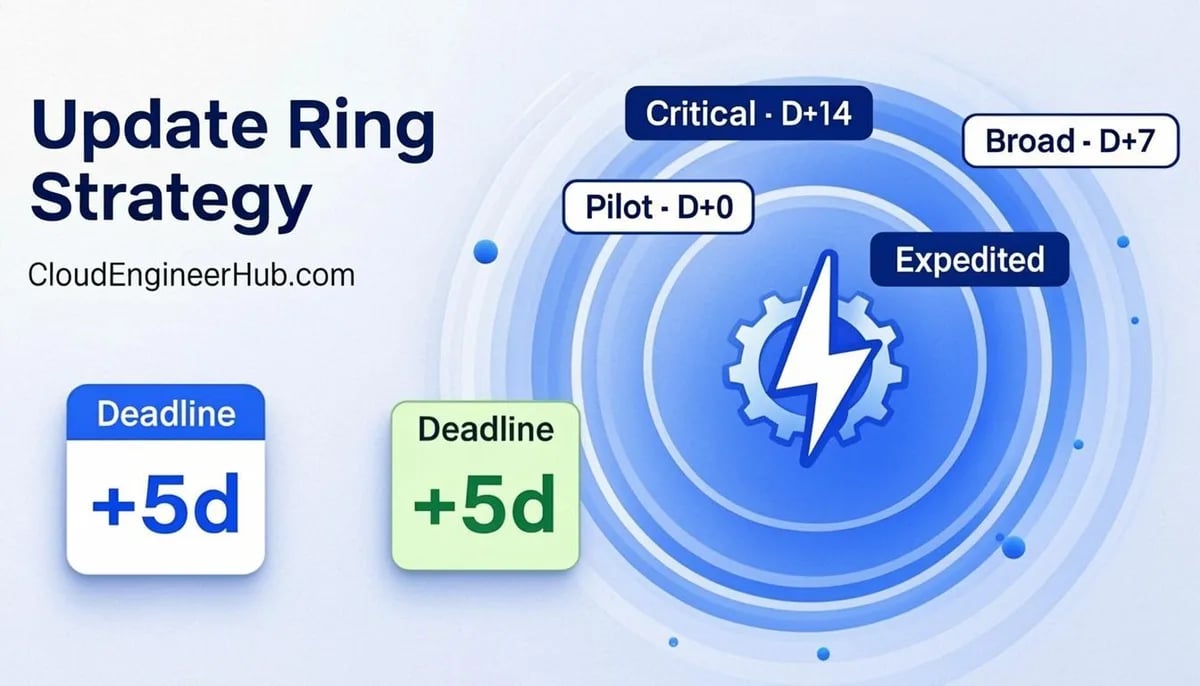
The monthly rhythm: the cumulative update ships on Patch Tuesday, each ring sees it after its deferral, and the deadline guarantees convergence. Rings are just Entra group assignments — pilot, early, broad, last — so blast radius is group membership, not luck. Expedited updates push a specific quality update past deferrals in days; pause stops offers for up to 35 days — an incident brake, never a scheduling tool.
Step-by-Step Implementation
1. Model the rings on paper first
Decide the numbers before touching the console. A battle-tested ladder: Ring 0 (IT pilot, 1–2% of fleet) deferral 0 / deadline 3; Ring 1 (early adopters) 2 / 5; Ring 2 (broad) 5 / 7; Ring 3 (last wave) 10 / 10. Every release gets a week of pilot soak while the fleet converges within roughly 20 days of Patch Tuesday.
2. Build the group structure
Create one Entra security group per ring: pilot groups static (hand-picked hardware and personas), broad groups dynamic or nested by department. Add a shared WUfB exclusion group to every ring's excluded groups — driver holds live there, and clearing one is a one-step removal with a paper trail.
3. Create the update rings
In intune.microsoft.com → Devices → Manage updates → Windows update rings, create the four rings with the step-1 numbers, assign each to its group, and set the user experience block deliberately (below). One ring per group — overlapping assignments fight silently.
4. Pin feature updates separately
Create a Windows feature update policy targeting a specific version (for example 24H2) and assign it to the same groups as the rings. Rings control when; the feature update policy controls what — without one, devices sit on their current build forever.
5. Prepare the expedite path
Confirm expedite prerequisites — supported editions (Enterprise/Education, E3/A3+), diagnostic data on, devices on a servicable build — and rehearse on Ring 0 with last month's KB. An untested expedite is not an emergency tool.
6. Baseline the reporting
Open Reports → Windows updates after each cycle and record per-ring convergence: failures, expedite results, and the named-device drill-down. The number that matters is days-from-release to 98% compliant.
Configuration Deep Dive
Deferrals. Keep them modest. A 14-day deferral sounds safe until a security fix ships mid-cycle; 0/2/5/10 gives the pilot a zero-day look while broad rings keep a week of soak. Never set a deferral without a deadline — deferral alone is a suggestion.
Deadlines and grace period. Deadlines count from update availability, so a Ring 2 device with 5-day deferral and 7-day deadline must finish by day 12. Set grace period to 1–2 days and enable automatic reboot before the deadline outside active hours — most fleets converge without interrupting anyone; for shift workers, widen the grace period instead of weakening every ring.
User experience block. Four switches decide how harshly deadlines bite: user notifications (default cadence), restart checks (reboots when the user steps away — keep on), automatic reboot before deadline (on — night-time compliance beats daytime interruption), and snooze power management (on, so sleeping devices are caught on wake).
Pause and filters. A stale pause silently freezes a ring while everyone assumes the tool is handling it — document who may invoke pause and review it every cycle. Use assignment filters, not group surgery, for hardware-model holds; they are transparent and reversible in one click.
Real-World Enterprise Scenario
A 4,800-seat professional services firm patched by prayer: no deadlines, ad-hoc reboots, compliance whenever. The rebuild: four rings (0/2/5/10 deferrals, 3/5/7/10 deadlines), an exclusion group governed by change-control tickets, and a feature update policy pinning 24H2. Now Ring 0 installs silently Monday night, Ring 1 follows Wednesday, Ring 2 finishes at 98.6% early the next week, and Ring 3 lands within 48 more hours. When a print-vendor driver broke spooling on one model family, a model filter held 240 devices back without touching ring membership; when a Patch Tuesday zero-day arrived, an expedite reached all 4,800 devices in four days, timestamps to prove it. Reboot complaints went to zero — deadlines moved reboots into the night, and the exclusion group gave skeptics a process instead of a workaround.
PowerShell for WUfB Ring Reporting
Verify locally that a ring landed — Intune writes WUfB settings through the Policy CSP, and the registry is ground truth:
PowerShell
1
2
3
4
5
6
7
8
# Ring settings as the device received them (Policy CSP → Update)
Get-ItemProperty "HKLM:\SOFTWARE\Microsoft\PolicyManager\current\device\Update" |
Select-Object DeferQualityUpdatesPeriodInDays, DeferFeatureUpdatesPeriodInDays,
DeadlineForQualityUpdates, DeadlineForFeatureUpdates
# Expected output for a Ring 2 device:# DeferQualityUpdatesPeriodInDays : 5# DeadlineForQualityUpdates : 7
Report the whole Windows fleet through Microsoft Graph — the build spread is your convergence picture:
Device hides the update for N days per its ring policy.
2
Scan still reports
Windows Update scans continue; only installation is deferred.
3
Offer becomes visible
After deferral the update appears to the user.
Deadline reached
1
Auto-install triggers
Deadline passes: download and install happen regardless of user state.
2
Grace period runs
User gets the documented window to restart politely.
3
Forced restart
Final enforcement reboots outside active hours only.
4
Compliance achieved
Device reports updated; rings advance to next wave.
Deferral vs Deadline — Who Wins and When. Gate: Update offered to device — Within deferral: Deferral counts down — Within deferral: Scan still reports — Within deferral: Offer becomes visible — Deadline reached: Auto-install triggers — Deadline reached: Grace period runs — Deadline reached: Forced restart — Deadline reached: Compliance achieved
Common Errors
0x80240034 — download failed. Proxy/TLS inspection breaking the Windows Update client, or a saturated branch link. Retest reachability without inspection, then re-offer.
0x800f0922 / 0x800f0831 — install failed. Missing servicing-stack prerequisite or insufficient disk. Free 20 GB, confirm the SSU is current, re-offer.
0xc1900208 — feature update blocked by app inventory. A blocking app is registered in the upgrade matrix; update or remove the entry and re-evaluate.
Deadline passed, nothing happened. The device was off or asleep through deadline and grace window; snooze power management enables wake-up catch-up — turn it on and confirm the next sync.
Settings keep reverting. A legacy GPO still applies WUfB settings to hybrid devices; MDM wins only when MDMWinsOverGpo is set under HKLM:\SOFTWARE\Policies\Microsoft\Windows\CurrentVersion\MDM. Deploy it or retire the GPO half.
Best Practices
One ring = one group = one policy. Audit quarterly for overlapping assignments.
Never set a deadline of zero for speed — you lose the grace window and the audit story.
Keep the exclusion group sacred: entries require a ticket, an owner, and a release date.
Pin the feature update version with feature update policies; use deferral only to stage between rings.
Rehearse expedites twice a year on Ring 0 — during the incident is the wrong time to learn the prerequisites.
Export the straggler list from the Windows update report into the patch runbook every month.
Security Considerations
Patch latency is exposure time: every day a CVE's cumulative fix sits behind a deferral is a day EDR is compensating. Keep pilot deferral at 0 so security fixes validate immediately, and treat expedites as vulnerability management with a named trigger, such as a KEV entry affecting Windows. Treat who can pause rings or edit deadlines as change-controlled access — PIM-eligible, logged, reviewed. Reporting automation runs with read-only device scopes; the update report belongs in the risk register, not a screenshot email.
FAQ
Do update rings apply to drivers and other Microsoft products?
No — rings govern Windows quality and feature updates; driver servicing and Office updates follow their own channels. Many fleets enable other-Microsoft-products updates per ring so Office inherits the staging.
Can users postpone an update past the deadline?
No. Before the deadline users can snooze; after it, the device installs and reboots automatically — that is the entire point of deadlines.
What does pausing actually do mid-cycle?
It holds new offers for that ring for up to 35 days; already-installed updates remain. Pause is a blast-radius brake, not a rollback.
Do I still need feature update policies if rings already have a feature deferral?
Yes. Feature update policies are the source of truth for which build devices move to; deferral alone no longer reliably moves fleets forward.
How long until the fleet fully converges?
With the 0/2/5/10 and 3/5/7/10 ladder, expect about 98% within 12–14 days of release; the tail is offline or broken devices the report will name.
Conclusion
A ring strategy that works is boring on purpose: a deferral ladder that soaks changes on real hardware, deadlines that enforce convergence overnight, one feature update policy pinning the target build, expedites rehearsed before you need them, and a report you read every month. Set the numbers once, govern the exceptions, and let the deadlines do the discipline.
Windows servicing is a guaranteed MD-102 exam area: rehearse the settings on /mock, troubleshoot faster with the free tools on /tools, and grab the study bundles on /store.



Comments
0No comments yet — be the first to share your thoughts.