Cloud Management Gateway (CMG) Setup: A Practical SCCM Internet-Client Guide
CMG architecture, certificates, Azure cost controls and co-management traffic — a practical setup guide for internet-based SCCM client management.
C
CloudEngineerHub Team
Published: September 17, 2026· Last Updated: September 28, 2026·10 min read
Cloud Management Gateway (CMG) Setup: A Practical SCCM Internet-Client Guide
The field engineer lands at a customer site with no VPN, and her SCCM-managed laptop has been "compliant" in the console for three weeks because it has not checked in since the airport. That is the problem the Cloud Management Gateway solves: internet-based client management without VPN, a pile of certificates, or a DMZ replica site. CMG is also the backbone that keeps co-managed clients whole when they roam. But a rushed CMG build produces a very specific kind of pain — a service that deploys green, costs more than expected in month two, and serves content at dial-up speeds. Here is how to build it properly: architecture first, certificates second, cost controls always.
Visual Walkthrough
C
CloudEngineerHub Team
Author
The CloudEngineerHub editorial team — Microsoft endpoint management and cloud engineers writing hands-on guides on Intune, Azure, Entra ID, Autopilot, Defender and PowerShell. Every article is reviewed against current Microsoft documentation.
The TLS path that turns roaming SCCM clients into first-class citizens.
Interactive FlowCMG — Internet Clients Reach ConfigMgr5/5
1
Client on internet
Roaming device detects internet-facing state.
connect
2
CMG endpoint (TLS 443)
Client contacts cloud management gateway — no VPN needed.
bridge
3
CMG connection point
Tunnel bridges Azure service → internal MP/SUP.
serve
4
Policy + content served
MP serves policy; content via CMG blob storage or cloud DP.
5
Client managed anywhere
Inventory, compliance and apps work as if on LAN.
CMG — Internet Clients Reach ConfigMgr. 1. Client on internet: Roaming device detects internet-facing state. — 2. CMG endpoint (TLS 443): Client contacts cloud management gateway — no VPN needed. — 3. CMG connection point: Tunnel bridges Azure service → internal MP/SUP. — 4. Policy + content served: MP serves policy; content via CMG blob storage or cloud DP. — 5. Client managed anywhere: Inventory, compliance and apps work as if on LAN.
Prerequisites
Configuration Manager current branch (run a recent baseline — on current builds the CMG deploys as an Azure virtual machine scale set; the classic cloud service model is retired, matching Microsoft's Cloud Services (classic) retirement, so older guidance about cloud services no longer applies to new builds).
Azure subscription with permissions to register resource providers (Microsoft.Compute, Microsoft.Network, Microsoft.Storage) and to consent the Configuration Manager server app registrations (typical need: Contributor + User Access Administrator on the target subscription/resource group for the wizard's Azure service creation).
A cloud management gateway connection point role on an on-premises site system with outbound HTTPS (443) to Azure.
Certificates or tokens per the auth model you choose (see below).
Clients running a supported ConfigMgr client version, with the client set to allow CMG usage where needed.
Architecture: What Actually Runs Where
Four moving parts, and knowing which one owns which job prevents 90% of setup confusion:
CMG (Azure): An internet-facing gateway running as a virtual machine scale set in your Azure subscription. Optionally, the same VMs serve content — the "allow CMG to function as a cloud distribution point" option makes the CMG a content source so internet clients pull packages from Azure instead of phoning home to an internal DP.
CMG connection point (on-prem): The bridge. It maintains an outbound connection to the CMG and relays client traffic to your management point, software update point, and DPs. It needs outbound 443 only — no inbound firewall changes, no DMZ member.
Management point / SUP (on-prem): Unchanged roles; the CMG tunnels client traffic to them. Configure HTTPS or enhanced HTTP on the MP depending on your PKI stance — enhanced HTTP lets the site use the Configuration Manager-generated certificate so you can skip server-auth certs on the MP itself for CMG purposes.
Clients: Detect network location, use the CMG when off-network, and behave like intranet clients when they return.
Traffic flow to internalize for troubleshooting: client → CMG (HTTPS 443) → connection point → MP/DP on-prem. When something breaks, you will test each hop with different logs on each system.
Field note: Deploy the connection point on a dedicated or low-contention site system, not your busiest primary. When the connector is busy, every internet client experiences it simultaneously — the CMG's "cloud" part scales automatically; the on-prem bridge does not.
Verify each hop
Before the wizard runs, prove the first hop from a representative internet-connected client:
Clients prove identity to the CMG one of three ways; pick per fleet and document it:
Method
Fits
Requirements
Notes
Microsoft Entra ID
Entra joined / hybrid joined clients
Entra tenant, server + native app registrations (wizard automates), user or device PRT
Cleanest for modern fleets; no PKI for client auth
Bulk registration token
Workgroup or non-Entra internet clients
Token generated from a known-good on-prem client per Microsoft Learn's token-based authentication guidance
Token has a lifetime — track expiry in your calendar
PKI client certificate
Established PKI shops
Client auth certs deployed, CMG trusts the issuing root (upload root CA during setup)
Classic model; heaviest operational overhead
Regardless of auth model, the CMG itself needs a server authentication certificate whose subject matches the CMG service name the wizard shows you (for scale set deployments this is the Azure-provided FQDN of the deployment). Buy it from a public CA, import its private key into the site server's certificate store, and let the wizard select it. If you use PKI client certs, also upload the issuing root CA certificate to the CMG so the gateway can validate chains.
Certificate geometry
Verify what you are about to hand the wizard before the wizard fails on it:
PowerShell
1
2
3
4
# Server-auth certificate sanity check: subject must match the CMG service FQDN
Get-ChildItem Cert:\LocalMachine\My |
Where-Object { $_.HasPrivateKey } |
Select-Object Subject, Thumbprint, NotAfter, @{n='DNS';e={$_.DnsNameList.Unicode -join';'}}
Field note: Ninety percent of first-attempt CMG failures are certificate geometry: subject mismatch with the service name, missing intermediate in the chain, or the root CA uploaded in the wrong slot. Check the trio before you click deploy.
Visual Walkthrough
Boundary groups, peer cache and fallback explain every slow download.
Interactive FlowSCCM Content — Package to Client Download6/6
1
Source distributed
Package pushed to DP groups; distribution status watched.
map
2
Boundary groups map
Client's IP boundary → DPs, with fallback timing configured.
fallback
3
Neighbor & site fallback
Neighbor DPs after X minutes; site fallback last resort.
peer
4
Peer cache serves
Peer sources answer first where enabled — LAN-speed wins.
download
5
BITS downloads
Client pulls content with throttling + branch cache options.
6
Content verified
Hash check passes; app/ts proceeds.
SCCM Content — Package to Client Download. 1. Source distributed: Package pushed to DP groups; distribution status watched. — 2. Boundary groups map: Client's IP boundary → DPs, with fallback timing configured. — 3. Neighbor & site fallback: Neighbor DPs after X minutes; site fallback last resort. — 4. Peer cache serves: Peer sources answer first where enabled — LAN-speed wins. — 5. BITS downloads: Client pulls content with throttling + branch cache options. — 6. Content verified: Hash check passes; app/ts proceeds.
Setup Walkthrough (Condensed)
Register the Azure service: In the console, Administration > Cloud Services > Azure Services, create the Azure service (the wizard creates/consents the server and client app registrations in Entra ID). Watch CloudMgr.log on the site server if consent hiccups.
Create the CMG: Administration > Cloud Services > Cloud Management Gateway. Choose the deployment as a virtual machine scale set, pick region (closest to your users — latency matters for TFTP-like chatty flows), VM size (standard_A2_v2 for management-only, standard_A4_v2 when serving content), instance count (start at 1; scale to 16 max).
Upload root CA if using PKI client auth; enable "Verify client certificate revocation" only if your CRL is reliably published to the internet — a dead CRL with revocation checking enabled blocks every client.
Enable CMG as cloud distribution point for content, and "allow CMG to function as a cloud distribution point" applies to the same VMs — no separate cloud DP object on current builds.
Install the connection point on the chosen on-prem server and point it at the CMG.
Configure client-facing settings: In client settings (Cloud Services group), enable "Allow users/devices to use a cloud management gateway" and make your choice on "prefer on-premises sources" deliberate — for most fleets, prefer on-prem content when available is the cost-correct answer.
Distribute content you want CMG-served to the CMG as you would a DP, then test from an off-network client.
The PowerShell module is useful for verification after the fact:
PowerShell
1
2
3
4
5
Import-Module "$env:SMS_ADMIN_UI_PATH\..\ConfigurationManager.psd1"
Set-Location LAB: # your site code drive
Get-CMSite | Select-Object SiteCode, ServerName
# CMG health and connection point state are best read in the console Monitoring node,# but certificate and role inventory from the module keeps drift audits scripted.
Costs and Sizing: What the Bill Is Made Of
Three cost drivers, in rough order of pain for typical fleets:
VM instances: standard_A2_v2/A4_v2 hours × instance count. A single-instance, management-only CMG typically lands in the "a few tens of dollars per month" range; content-serving fleets multiply this.
Outbound data transfer: The silent budget killer. Every byte the CMG serves out of Azure (content to clients) bills as egress. Management traffic (policy, state, inventory) is small; application content is not. If a 2 GB LOB app goes to 500 roaming clients, that is a terabyte of egress you chose to route through Azure.
Storage and public IP: Minor, but real, and it scales with logs and content you host in the cloud DP.
What actually controls the bill
Concretely: keep content out of the CMG unless roaming clients truly need it (use "prefer on-premises sources"), gate which packages are distributed to the CMG, monitor the console's Monitoring > Cloud Management Gateway node for traffic and client counts, and review the Azure cost breakdown by resource group monthly. For capacity planning, size conservatively (Microsoft's scale guidance for the gateway runs to thousands of concurrent clients per instance on the documented VM sizes — see Microsoft Learn's CMG performance and scale guidance) and let the scale set carry the peaks.
Co-Management Clients Over CMG
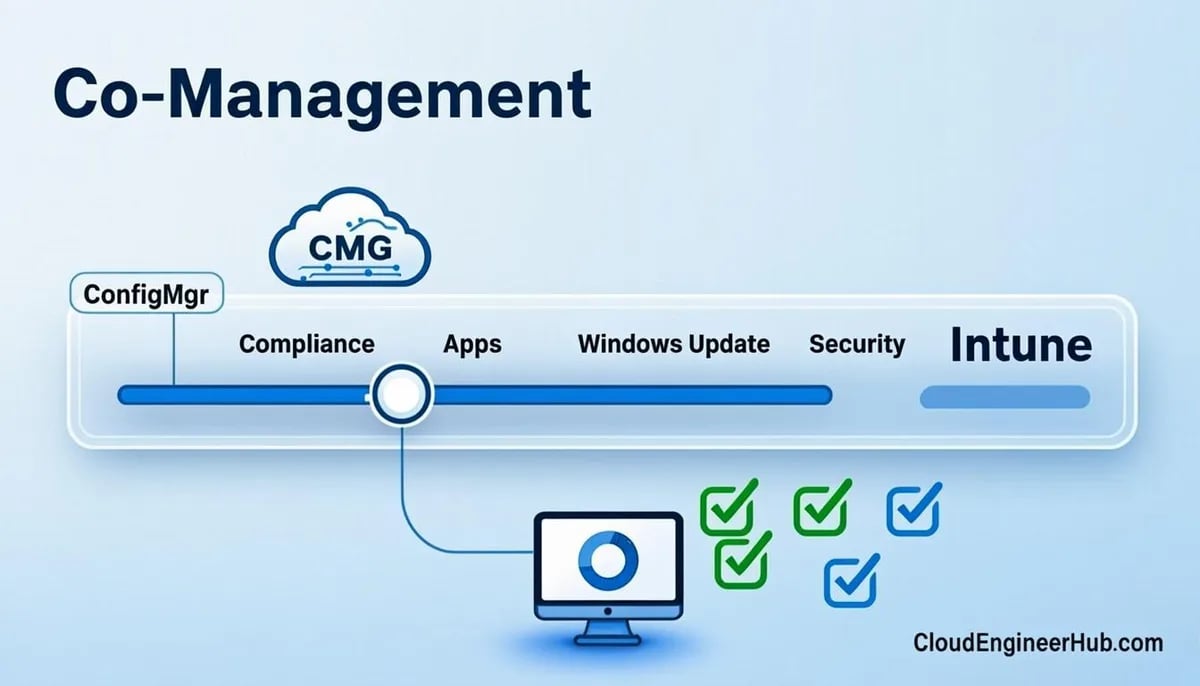
For co-managed fleets, the division of labor is simple and worth writing into your design doc: Intune workloads (compliance, resource access, Windows Update rings/policies if switched, MDM apps) do not need the CMG — the client talks to Intune over the internet natively. CMG matters for everything still owned by Configuration Manager: classic packages/applications, task sequences, software updates via SUP, inventory, and remote control. If a co-managed device roams and "Intune stuff" works but SCCM apps hang, your CMG content path — not co-management — is broken.
Common Setup Failures and Where to Look
Wizard fails creating the Azure service: Entra consent permissions, or the resource providers not registered on the subscription. Check CloudMgr.log for the failing ARM call.
CMG deploys but clients never connect: Server-auth cert subject mismatch, or the connection point cannot reach the CMG (proxy/TLS inspection between the on-prem connector and Azure — allow-list the CMG endpoints). Logs: CMGSetup.log and CMGService.log (retrievable from the console CMG node), SMS_CLOUD_PROXYCONNECTOR.log on the connection point.
Clients connect for management but content fails: CMG not enabled as cloud DP, content not distributed to the CMG, or the client setting blocking CMG content sources. Check the client's LocationServices.log and CAS.log for the content location decision.
Every client rejected: Revocation checking enabled with an unreachable CRL, or the root CA not uploaded in PKI mode.
Intermittent slowness: Azure region far from users, undersized instance serving content, or egress throttling — check the CMG node's traffic charts against complaint timestamps.
Key takeaways
New CMG deployments are Azure virtual machine scale sets — the classic cloud service path is retired; keep this in mind when following older blog posts.
Architecture is client → CMG (443) → connection point (outbound-only) → on-prem MP/SUP/DP; test each hop with its own log (CloudMgr.log, CMGSetup.log, SMS_CLOUD_PROXYCONNECTOR.log, client LocationServices.log).
Pick the auth model per fleet: Entra ID for modern fleets, bulk registration tokens for workgroup clients, PKI where it already exists — and check certificate subject/chain/root geometry before deploying.
Enable the CMG as a cloud distribution point only for content roaming clients genuinely need; egress is where CMG budgets die.
Keep "prefer on-premises sources" on for cost control, and monitor traffic in the console's CMG node monthly.
Co-managed devices use Intune directly for Intune workloads; the CMG carries only the SCCM-owned traffic.
Revocation checking is a footgun when CRLs are not internet-published — verify before enabling.
Frequently asked questions
Do I still need a server authentication certificate if I use enhanced HTTP?
Yes — for the CMG service itself. Enhanced HTTP removes the need for PKI certificates on management points and distribution points, but the internet-facing CMG endpoint always presents a server-auth certificate to clients, and its subject must match the CMG service name.
Can the CMG replace my VPN for all management traffic?
For Configuration Manager and Intune management planes, effectively yes for most fleets. What it does not replace is line-of-business connectivity to internal apps and file shares — that is network design, not endpoint management. Plan the CMG for management, keep VPN decisions for business apps.
How do I know when to add a second CMG instance?
Watch the console's CMG monitoring for sustained high traffic, growing client counts past Microsoft's documented per-instance scale guidance, and client-side download times. With a scale set, scaling instances is a setting change — the discipline is catching the trend in monitoring before users feel it.



Comments
0No comments yet — be the first to share your thoughts.